
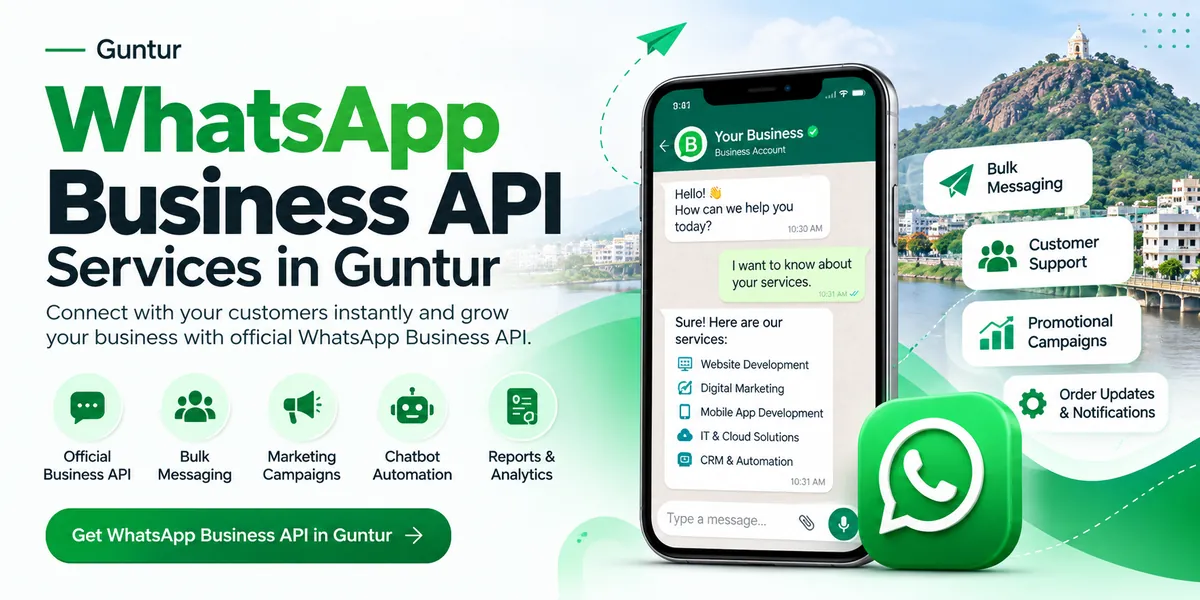
Almost every customer in Guntur is on WhatsApp. The free WhatsApp Business app works for a small shop, but once you need multiple staff, automatic replies, bulk offers or order updates from your website, you need the WhatsApp Business API. This guide explains what it is, what it costs and how Guntur businesses use it.
What is the WhatsApp Business API?
The WhatsApp Business API (officially the WhatsApp Business Platform by Meta) lets businesses connect WhatsApp to their own software — website, app, CRM or chatbot. It allows automated replies, approved message templates, broadcast campaigns and multiple team members on one number.
WhatsApp Business app vs WhatsApp Business API
| Feature | Business App (free) | Business API |
|---|---|---|
| Users on one number | Limited linked devices | Unlimited agents via dashboard |
| Bulk messages | Broadcast lists only to saved contacts | Approved campaigns to opted-in customers at scale |
| Chatbot & auto-replies | Basic greeting / away messages | Full chatbot with menus, buttons and AI |
| Website / app / CRM integration | No | Yes — automatic order, payment & delivery updates |
| Verified business profile | Not available | Eligible to apply for Meta verification |
| Cost | Free | Per-message charges by Meta + setup |
How Guntur businesses use the WhatsApp API
- Chilli, cotton & commodity traders: send daily market rates to buyers and farmers, take orders on WhatsApp
- Hospitals & diagnostic centres: appointment confirmations, reminders and lab report delivery
- Colleges & coaching centres: admission enquiries, fee reminders, exam results to parents
- Real estate (Guntur–Amaravati): instant replies to property leads with brochures and site-visit booking
- Retail & e-commerce: order confirmation, payment links, shipping and delivery updates
- Restaurants: WhatsApp ordering menu and festival offers
WhatsApp Business API pricing in 2026
Since 1 July 2025, Meta charges per delivered template message instead of per conversation. Rates depend on the message category and the customer's country:
| Message type | Example | Charged? |
|---|---|---|
| Marketing template | Offers, festival campaigns, new arrivals | Yes — highest rate |
| Utility template | Order confirmed, payment received, delivery update | Yes — but free inside an open 24-hour customer service window |
| Authentication template | OTP for login | Yes — low rate |
| Service (replies to customers) | Answering a customer's question | Free within the 24-hour window |
Tip: If a customer messages you from a Click-to-WhatsApp ad or your Facebook Page button and you reply within 24 hours, messages are free for the next 72 hours. Indian businesses can now be billed in INR. Meta updates rates at the start of each quarter, so we share the latest rate card with every quotation.
On top of Meta's charges, there is a one-time setup and a monthly platform / dashboard fee depending on the number of agents, chatbot flows and integrations you need.
How setup works — step by step
- Facebook Business Manager — create or verify your business account
- Phone number — a number that is not active on the regular WhatsApp app
- Display name & profile — business name, logo, address and description
- Message templates — we write and submit templates for Meta approval
- Chatbot & integration — connect your website, app or CRM
- Go live — team training and your first campaign
Most Guntur businesses are live within 3–7 working days, depending on Meta's business verification.
Our WhatsApp Business API services in Guntur
- WhatsApp Business API account setup and number registration
- Business verification support and green-tick application guidance
- Template writing and approval
- Chatbot with menus, buttons and lead capture
- Broadcast and bulk campaign setup to opted-in customers
- Team inbox for multiple staff on one number
- Integration with websites, mobile apps, e-commerce stores and CRM
- Click-to-WhatsApp ads setup on Facebook and Instagram
- Monthly reports and support
Building a new app or online store? Add WhatsApp order updates from day one — see our mobile application services in Guntur and our main WhatsApp Business API & automation services page.
Frequently asked questions
What is the cost of WhatsApp Business API in Guntur?
Meta charges per delivered template message (marketing, utility and authentication), while replies within the 24-hour customer service window are free. There is also a one-time setup and a monthly platform fee based on your requirements.
Can I use my existing WhatsApp number for the API?
Yes, but the number must be removed from the regular WhatsApp or WhatsApp Business app before it is registered on the API. Chat history on the phone does not move to the API.
How long does WhatsApp Business API setup take?
Typically 3 to 7 working days, depending on Meta business verification and template approvals.
Can I send bulk WhatsApp messages with the API?
Yes, to customers who have opted in to receive messages from you, using Meta-approved templates. This keeps your number safe from blocks.
Do you provide WhatsApp chatbot services in Guntur?
Yes. We build WhatsApp chatbots with menus, buttons, lead capture, order booking and integration with your website, app or CRM.

0 comments
No comments yet. Be the first to share your thoughts.